Plugin Feature Points
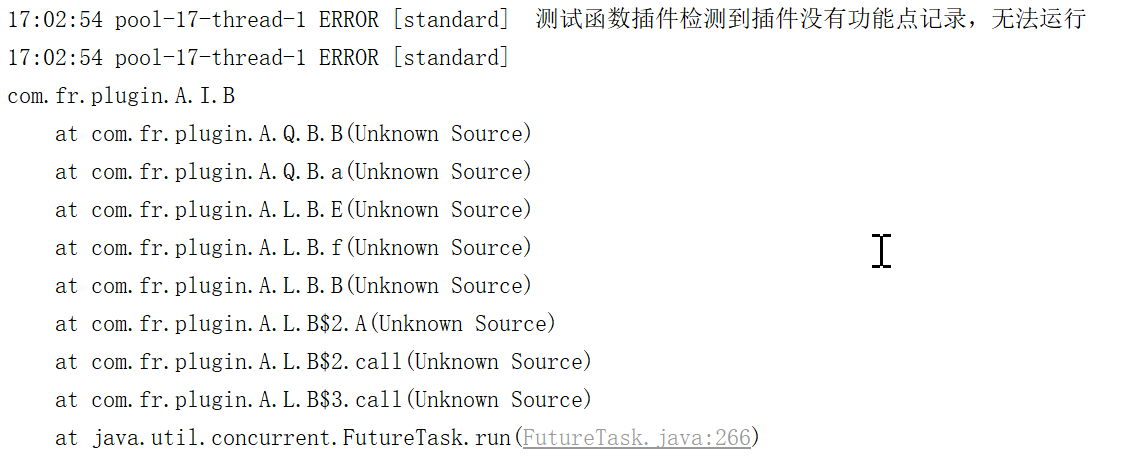
Feature point recording is used to track how end users interact with a developer's plugin. All plugins must include feature point recording. Without it, a plugin may appear as "installed and active" in the Plugin Manager but will not function at runtime, and the following error will appear in fanruan.log:
Adding feature point recording requires two steps, illustrated using the plugin-function plugin as an example:
Step 1: Declare the Recorder Class in plugin.xml
<?xml version="1.0" encoding="UTF-8" standalone="no"?>
<plugin>
    <!-- other fields omitted -->
    <function-recorder class="com.fr.plugin.MyAbs"/>
</plugin>
Add a <function-recorder> node under the <plugin> node. The class attribute points to the class that contains the feature point recording.
A plugin may have multiple
function-recorderentries if you want to log multiple feature points to the log database.
Step 2: Add Annotations to the Recorder Class
- Add
@EnableMetricson the class to indicate that it contains feature point recording. - Add
@Focuson each method whose usage should be tracked, describing that feature point.
@EnableMetrics
public class MyAbs extends AbstractFunction {

    @Focus(id = "com.fr.plugin.function.test", text = "Plugin-Test_Function_Abs", source = Original.PLUGIN)
    public Object run(Object[] args) {
        return 1;
    }
}
@Focus annotation parameters:
| Parameter | Description |
|---|---|
id |
Unique identifier for the feature point, typically tied to the plugin ID |
text |
Descriptive text for the feature point, recorded in the log database |
source |
Source type; use Original.PLUGIN for plugins |
Result
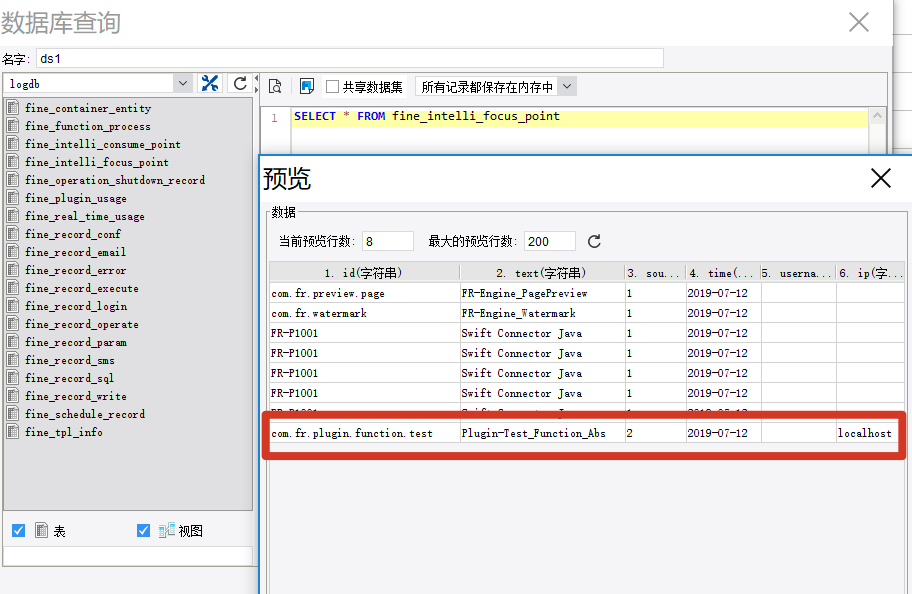
Once feature point recording is active, plugin usage is queryable in the log database for statistical analysis: